Guide
AI governance software: what it is and how companies actually use it
A practical guide to governing employee AI use — who gets access, which models are allowed, what rules apply, and what the company can see afterwards. Written for the person who has to make that decision, not for a compliance brochure.
What AI governance software is
AI governance software is the layer a company puts between its employees and general-purpose AI models. Instead of every person holding a private account with a model vendor, the company runs one place where AI is used, and administrators decide the terms of that use.
The category covers several very different products. Some are policy and risk registers for regulated model development. Some are gateways that sit in front of provider APIs for engineering teams. Botnea sits in a third group: a governed workspace for everyday employee use, where the governance controls and the place people actually work are the same product.
In practice, governance for employee AI use comes down to four controllable things:
- Access — who can use AI at all, and in what role.
- Availability — which models and features are reachable inside the workspace.
- Behavior — the standing instructions and company knowledge that shape answers.
- Visibility — a record of what was used, by which workspace, member and model.
The problem: unmanaged AI use is invisible, not absent
When a company has not decided how AI is used, employees decide individually. That is rarely refusal — it is usually a personal subscription, a browser tab, and company material pasted into a tool nobody approved.
The result is not a single dramatic incident. It is a slow loss of three things: knowledge of where company text is going, consistency of what AI produces on the company's behalf, and any basis for deciding what AI is worth. Blocking access tends to make all three worse, because usage moves to devices and accounts the company cannot see at all.
Typical signals that governance is missing:
- Nobody can name every AI tool currently used for company work.
- AI spend arrives as scattered personal expense claims rather than one line item.
- Two teams produce output in visibly different voices from the same brief.
- A departing employee's AI history and prompts leave with their personal account.
- Security is asked to approve a tool after it is already in daily use.
Access governance: roles before rules
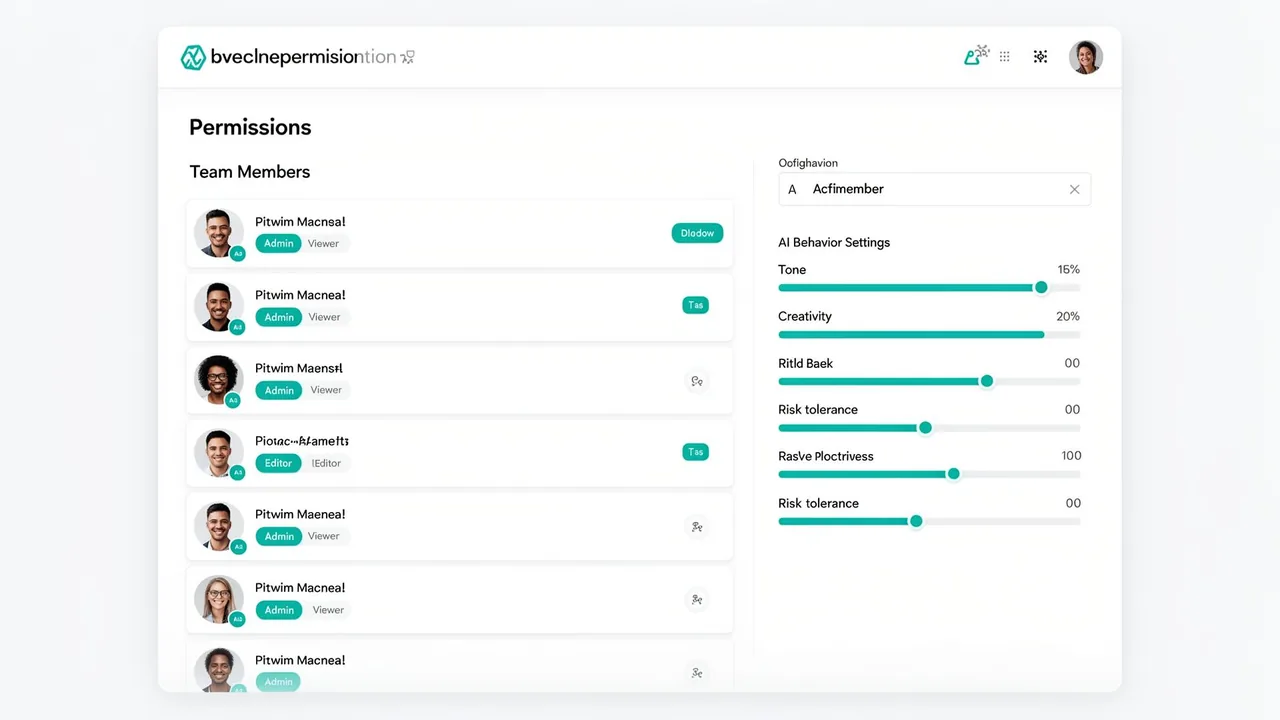
Access is the first control because it is the only one that works when the other three are still being designed. Members are invited into a workspace and given a role; the role determines what they can do and which of the available models they can reach.
Botnea keeps workspaces separate, so teams that should not share context do not. Access can be granted and withdrawn by an administrator without touching a model vendor's billing portal.
Model and tool availability
A governed workspace should let people use more than one model, because tasks differ — a long document summary and a short rewrite are not the same job. What matters for governance is that the list of available models is a decision the company makes once, not a choice each employee makes in their own account.
In Botnea, the models available in a workspace and the roles allowed to use them are configured by an administrator. Changing that list changes what every member sees, immediately, without asking anyone to cancel a subscription.
Workspace policies and company knowledge
Two workspaces with identical model access can still produce very different work. The difference is the standing context: the instructions that apply to every conversation, and the company material the workspace can draw on.
Workspace instructions are the cheapest governance control that exists. They are written once, apply to every member, and can encode the things a policy document usually asks people to remember — required structure, tone, what must never be asserted without a source, when to escalate to a human.
- Instructions apply at workspace level, so a new member inherits them on day one.
- Company knowledge attached to a workspace lets answers reference the company's own material rather than generic text.
- Changing the instruction changes future behavior for everyone, which is what a policy is supposed to do.
Usage and cost visibility
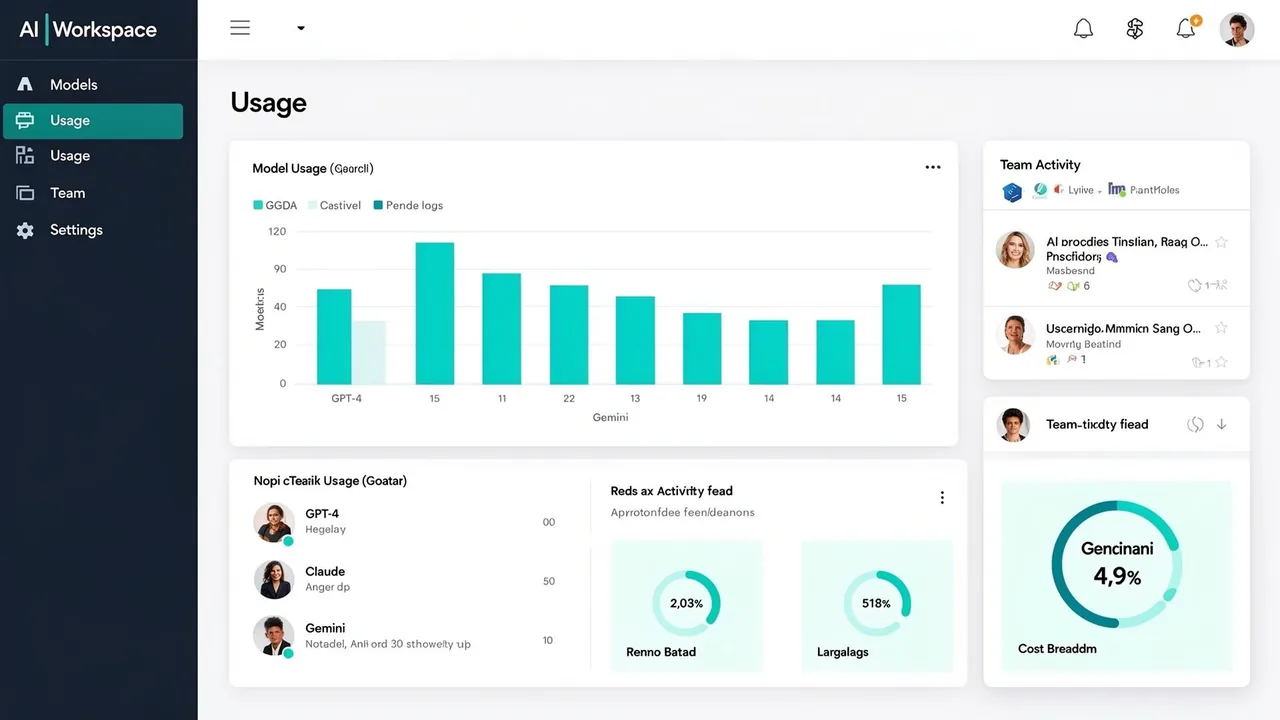
Governance decisions get made badly when nobody has numbers. The workspace records usage by workspace, member and model, which turns the question "should we expand or restrict this?" into something you can answer by looking.
Visibility is not the same as control of spend. Read it as evidence for a decision — who is actually using AI, on what, and with which model — rather than as an automatic guardrail.
Data-flow transparency
Any honest governance conversation ends at the same question: where does the text go? A workspace does not remove third-party model providers from the picture — it concentrates the flow into one path the company can describe.
We publish what we can evidence about that path, including what we do not attest to, on the security page. If your review needs a specific answer that is not published there, ask for it in writing and we will answer with what exists.
Implementation workflow
- Create the workspace. Start with one team and a real recurring task rather than a company-wide rollout.
- Set roles. Decide who administers, who uses, and which models each role can reach.
- Write the workspace instruction. One paragraph of standing rules beats a ten-page policy nobody opens.
- Attach company knowledge. Add the material the team already answers questions from.
- Review recorded usage. After a few weeks, look at what people actually did before widening access.
- Expand deliberately. Add the next team with the settings that worked, not with defaults.
Evaluation checklist
| Question | Why it matters |
|---|---|
| Can access be withdrawn in one place? | Offboarding is where ungoverned AI use leaks longest. |
| Are workspaces isolated from each other? | Determines whether one team's context can reach another. |
| Do standing instructions apply to every member? | A policy that depends on individual recall is not a control. |
| What exactly is recorded, and for how long? | Decides whether you can audit anything later. |
| Which providers process the text, and under what terms? | This is the question security will ask first. |
| What does the vendor explicitly not attest to? | A vendor that cannot answer this is answering something else. |
What this page does not claim
- Botnea is not a regulatory compliance product and does not make a company compliant with any law, framework or standard.
- Botnea does not hold SOC 2, ISO 27001 or an equivalent independent certification, and this page does not imply one.
- This page describes governance controls for employee AI use, not model risk management, model evaluation, or AI system auditing for products you build.
- Cost and usage figures shown in the product are a record of activity, not an enforcement mechanism or a savings guarantee.
- No customer results, benchmarks or industry statistics are cited on this page because we do not have verified ones to cite.
See the security and data handling page for what Botnea does and does not attest to.
Questions buyers ask
- Is AI governance software the same as blocking AI tools?
- No. Blocking removes visible use and usually moves it somewhere less visible. Governance keeps use inside a place the company configures and can review.
- Do we need this if we already pay for team accounts with one model vendor?
- It depends on whether one vendor covers your work and whether you need role-level control over who reaches what. If a single vendor's team plan already answers those questions, that is a legitimate answer.
- Does Botnea make us compliant with the EU AI Act or GDPR?
- No. No software product makes an organisation compliant. Botnea can concentrate employee AI use into one configured path, which makes it easier to describe what happens — the compliance assessment remains yours.
- Who owns this internally?
- In most companies it is jointly owned: an operations or IT administrator configures the workspace, and a leadership sponsor decides how far access extends.
- How long does a first rollout take?
- That depends on your approval process rather than the product. The configuration itself — workspace, roles, instructions, knowledge — is a short session; agreeing what the rules should be usually takes longer.
See it against your own use case
The fastest way to judge a governance model is to configure one workspace with a real team task. Create a workspace, or bring your evaluation questions and we will answer them with what exists today.